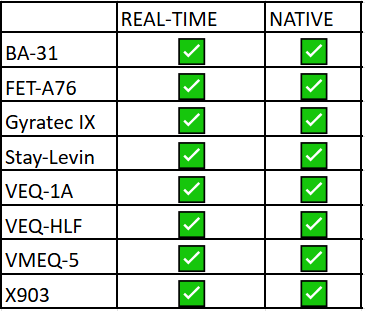
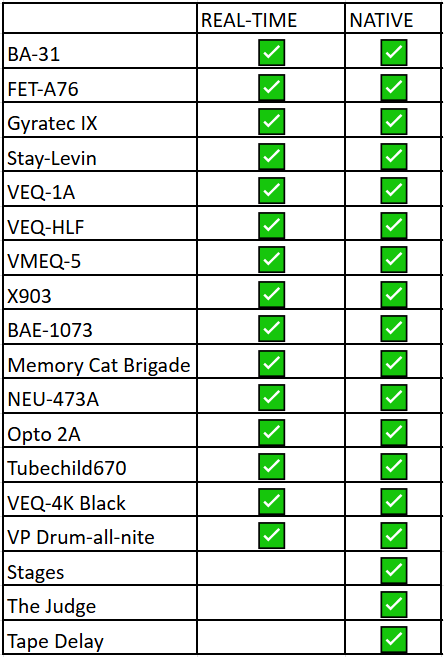
Step 1: Device Activation & Automatic Licenses
When you activate your device interface, you automatically receive:
Real-Time Effects License:
This is assigned to your Antelope account. In order to link it to your new Antelope device, click: Manage device -> Features & Ownership inside the Antelope Launcher.
Native Plugins License: This license is immediately added to your account, but make sure you:
Link your iLok account to your Antelope account via your User Area Dashboard.
Note: Even if you don't link the accounts before device activation, the license will still be granted. You just won't be able to use the native plugins until the linking is done.
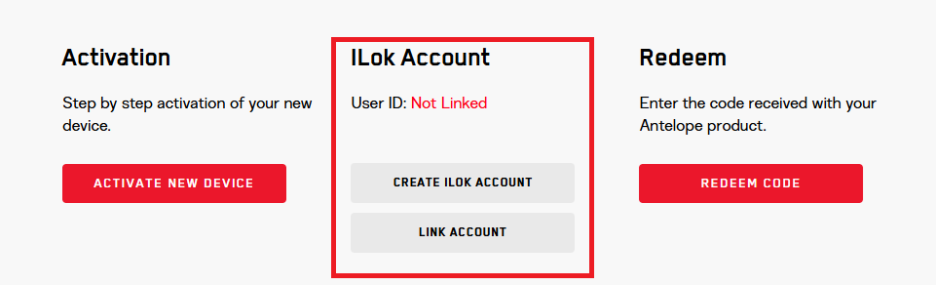
Step 2: Installing Your Plugins
After your device is activated and your accounts are linked, you'll install the native plugins:
Open the Antelope Launcher.
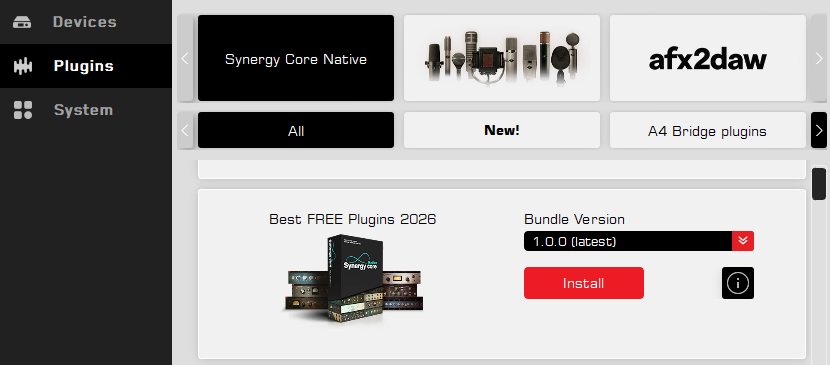
Plugin Bundle Appearance: A new Bundle will appear containing all included plugins. This bundle installs all of them at once.
NOTE! If the Bundle is not showing - close and reopen the Antelope Launcher
OR press F5 (Windows) to refresh.
If you don't refresh or restart, the bundle will appear automatically within a maximum of one hour.
The promo bundle for Zenith 2 and Zen Quadro Synergy Core is labeled Best FREE Plugins 2026 Lite
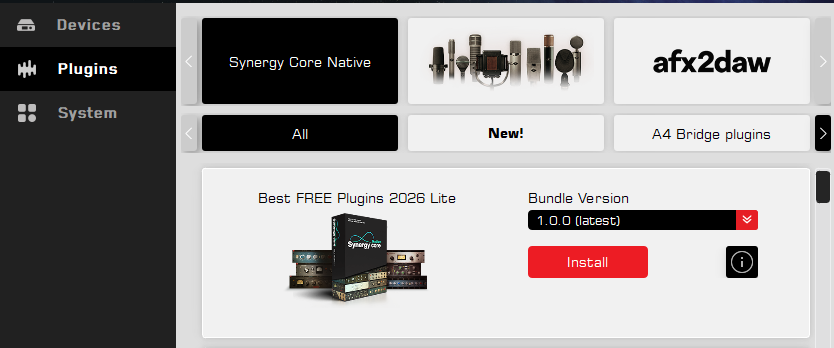
The promo bundle for Discrete 8 Oryx Synergy Core, Orion Studio Synergy Core, Orion 32+ gen.4, Galaxy 32 Synergy Core, Galaxy 64 Synergy Core is labeled Best FREE Plugins 2026.
Step 3: Activating Your Native Plugins
Once installed, you'll need to activate the iLok license for the native plugins upon loading them inside your DAW.
The license can be activated on an iLok DONGLE (2nd or 3rd gen.) or COMPUTER.
No Cloud Support: Please note that iLok CLOUD support is NOT available for this license
List of products, part of the promotional campaign:
Zenith 2
Zen Quadro Synergy Core
Discrete 8 Oryx Synergy Core
Orion Studio Synergy Core
Orion 32+ gen.4
Galaxy 32 Synergy Core
Galaxy 64 Synergy Core
List of promotional effects Zenith 2 and Zen Quadro Synergy Core: