
Understanding the Antelope Audio Software Effects Ecosystem
Antelope Audio software effects are available in two main formats:
⦁ Synergy Core Real-Time effects
⦁ Synergy Core Native plugins
Most Antelope Audio plugins, as well as all microphone emulations are available in both formats. However, availability can vary by product, and some plugins are offered only as Native versions – full list available [here].
1. Synergy Core Real-Time Effects
Synergy Core Real-Time effects are designed to run on the FPGA and DSP processors inside supported Synergy Core devices.
They are accessed through the device’s Control Panel and are processed entirely by the device rather than by your computer. This provides near-zero added latency and makes Real-Time effects particularly useful for recording, monitoring and live processing.
Real-Time effects can also be used in a DAW through hardware-insert routing. In this workflow, audio is sent from the DAW to the Synergy Core device, processed by the device, and then returned to the DAW - similar to working with external hardware processors. For a video tutorial on how to set up hardware inserts click here.
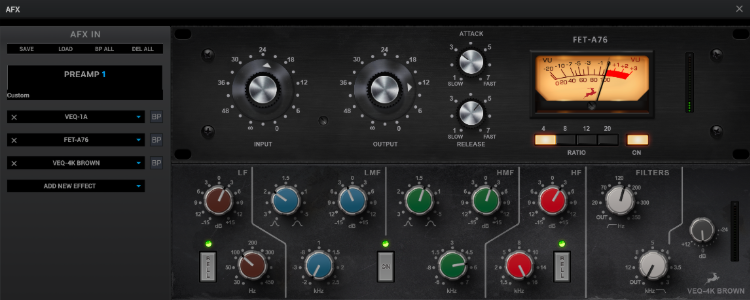
Requirements and activation
Real-Time effects require a supported Synergy Core device, but they do not require iLok.
Full list of supported devices and the exact effects each device can run can be found [here] – for system requirements you can also check this article.
To become available in the Control Panel of a device, a Real-Time license must be assigned to the device through:
Antelope Launcher / “Devices” tab → Manage Device → Features & Ownership
No separate download is required because the effects run from the Synergy Core device’s internal memory.
2. Native Plugins
Native plugins run directly on your computer and can be loaded into a compatible DAW without an Antelope Audio device.
They are available in VST3, AU, and AAX formats and can be downloaded from the Plugins tab in the Antelope Launcher.
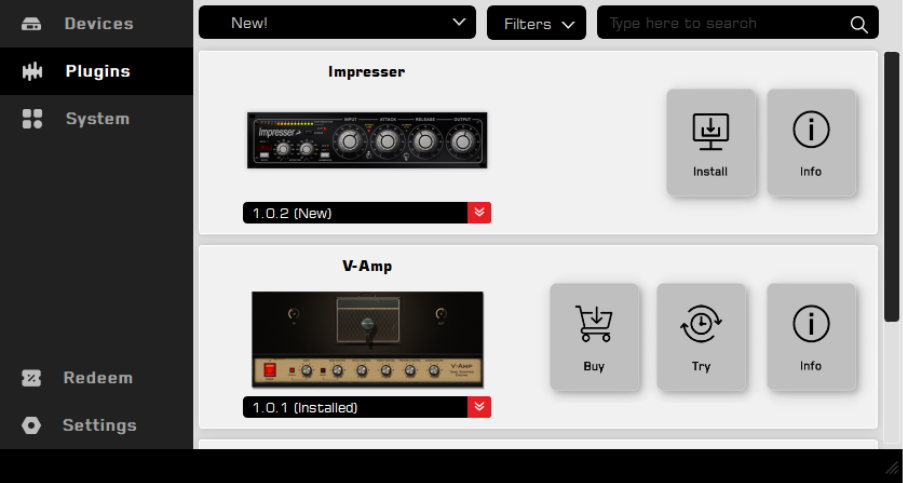
Requirements and activation
Native plugins require iLok authorization. A license can be activated through either:
⦁ iLok Cloud
⦁ A physical iLok USB dongle
Full system requirements available here.
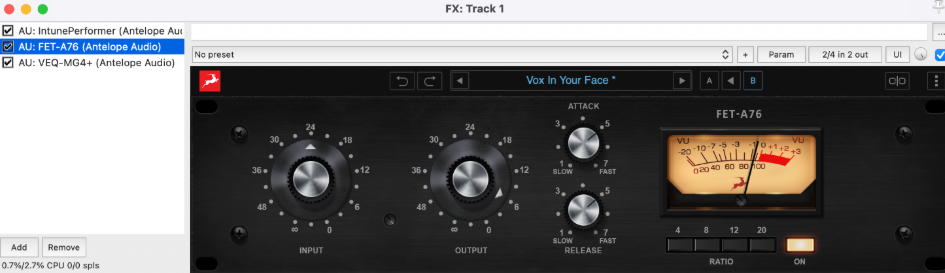
For detailed instructions on connecting your iLok account and activating Native licenses, please refer to [this guide].
3. Microphone Emulations
Antelope Audio microphone emulations are also available in Synergy Core Real-Time and Native formats. Both require purchase and activation of an Edge series or Axino modelling microphone.
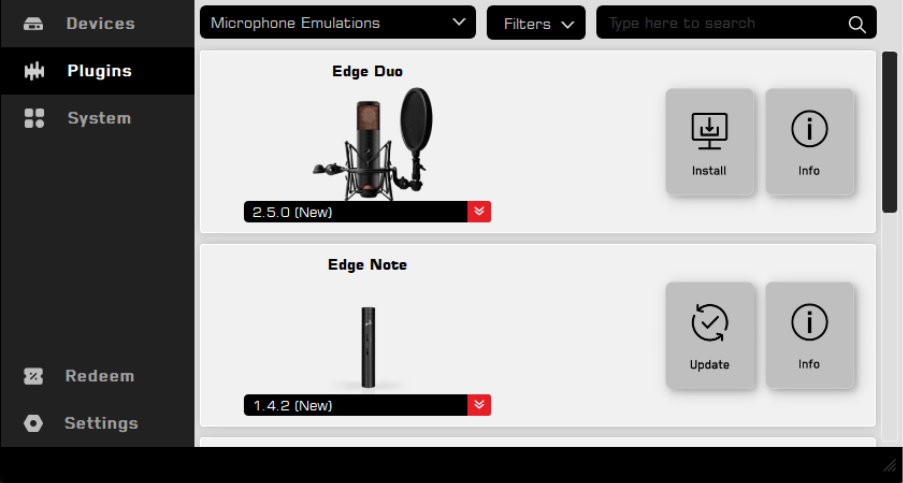
Real-Time microphone emulations
Real-Time microphone emulations run on a supported Antelope Audio device and are accessed through its Control Panel. They do not require iLok and must be assigned to the device through:
Antelope Launcher / “Devices” tab → Manage Device → Features & Ownership
Real-Time microphone emulation licenses are assigned to your Antelope Account automatically after activation of an eligible Edge series or Axino modelling microphone.
Native microphone emulations
Native microphone emulations run as plugins in a compatible DAW and require iLok Cloud or a physical iLok USB dongle.
Unlike other Native licenses, which are normally assigned directly to the connected iLok account, a Native microphone emulation license is delivered as an iLok claim code, accessible in the User Area → My Software, after activation of the microphone. The code must be redeemed through iLok License Manager before the license can be activated.
Eligible microphone emulations are provided with supported Antelope Audio modeling microphones and remain available as perpetual licenses.
[Click here] for full guide on how to get started with microphone emulations.
How can I purchase Antelope Audio software?
Plugins can be purchased through either an individual perpetual purchase or the Antelope Cosmos membership.
1. Individual Perpetual Plugin Purchases
Individual plugins can be purchased from the Antelope Audio Software Store or from an authorized retailer.
Each individual perpetual plugin purchase includes:
⦁ A Synergy Core Real-Time license, when a Real-Time version is available
⦁ A Synergy Core Native license, when a Native version is available
Many products include both licenses. Some products, however, are available only as Native plugins – [full list here].
Perpetual licenses do not expire – after purchase they are yours to own forever.
2. Antelope Cosmos Membership
Antelope Cosmos is available as a monthly or yearly membership.
An active Antelope Cosmos membership provides access to the Native versions of all Antelope Audio plugins included in the plan, as well as all future releases and major updates while the plan is active. It does not provide access to their Synergy Core Real-Time versions.
The Native plugins available through Antelope Cosmos require iLok authorization (Cloud or dongle) and can be used while the membership remains active.
Choosing the Right Format
Choose Synergy Core Real-Time effects when you want to:
⦁ Process audio through a supported Synergy Core device
⦁ Record or monitor with near-zero added latency
⦁ Process audio live, for streaming or live performance
⦁ Avoid using your computer’s CPU for effect processing
⦁ Use Antelope Audio effects as hardware inserts in your DAW
Choose Synergy Core Native plugins when you want to:
⦁ Use effects without an Antelope Audio device
⦁ Load effects directly into your DAW
⦁ Work in VST3, AU, or AAX format